








Turnaround

Turnaround
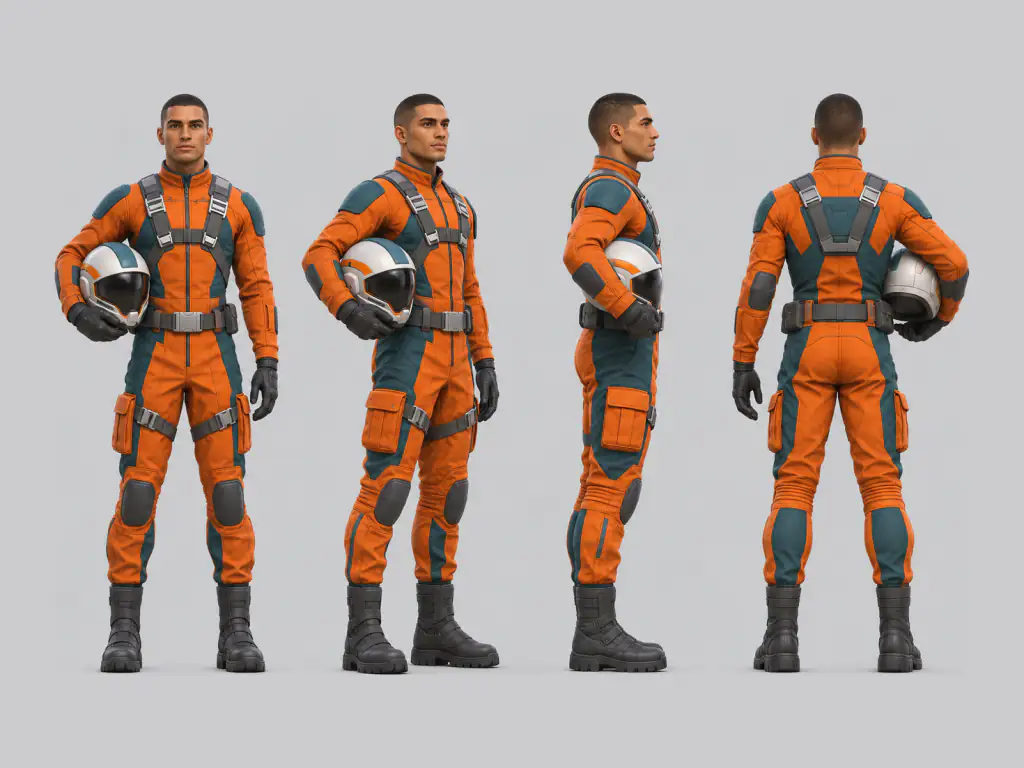
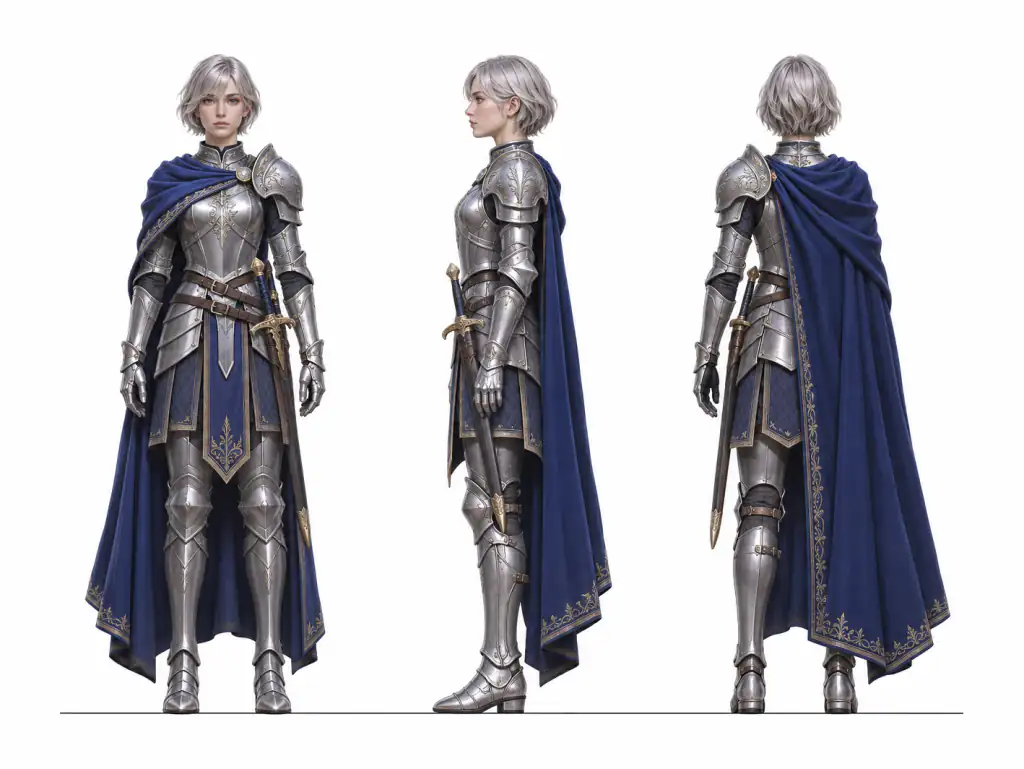
4-View Turnaround
Expression Sheet
Pose Sheet
Outfit & Details
Full Model Sheet
AI Video Reference
4-Panel Board
Upload a drawing, an AI image or a screenshot of your character, or describe one in text, and this AI character sheet tool returns one sheet with front, side and back views, expressions, poses and outfit close ups. It is built to keep the same face, hair, outfit and art style in every view.
From an image or text • Eight sheet layouts • Runs in your browser
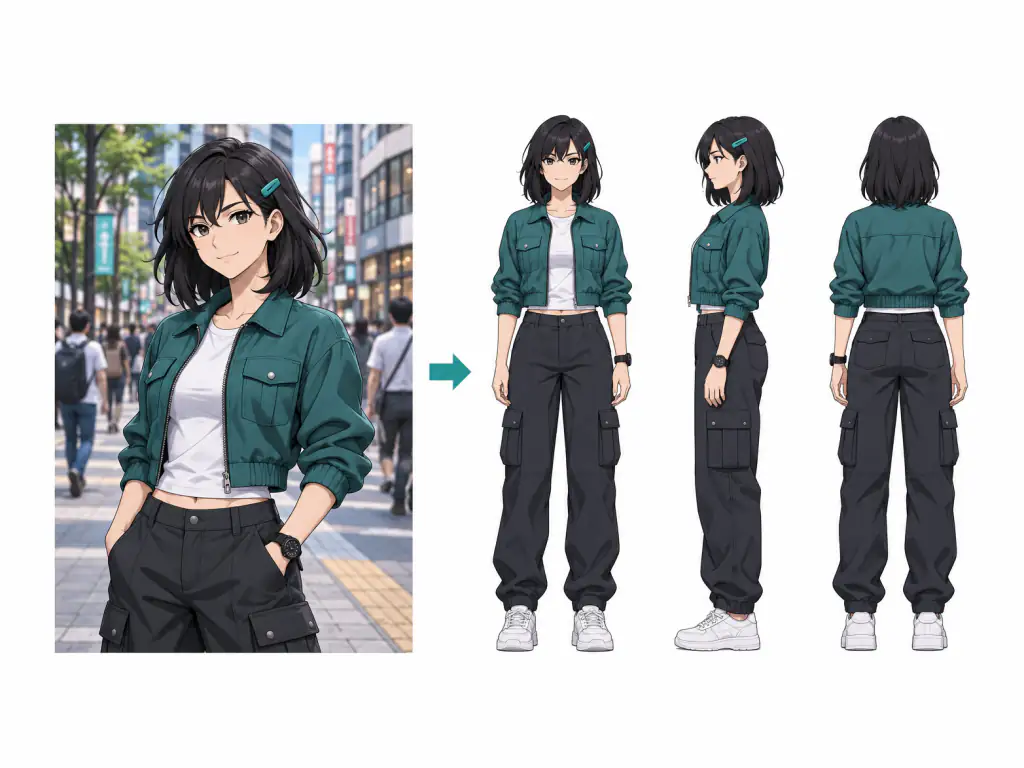
An AI character sheet is one image that shows the same character from several angles, with expressions, poses or outfit details laid out side by side. Artists also call it a character reference sheet or a model sheet: the character sheet art a team checks before drawing or animating. Most people already have the character, a Webtoon lead, a mascot or an OC that needs a proper oc sheet. This tool starts from that picture, fills in the missing views and keeps your design, with no days of drawing, no commission wait and no local node workflow. For ideas, browse our character sheet prompts at /image-prompts/character-design.
Three steps from a picture or a few lines of text to a finished AI character sheet.
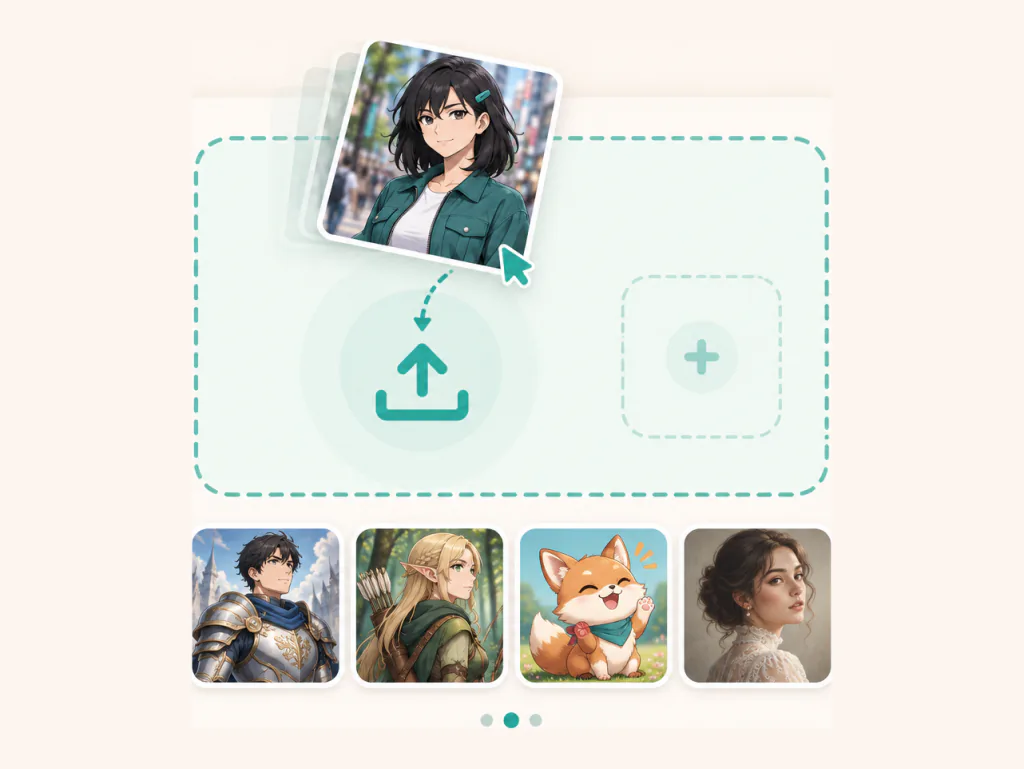
Upload a drawing, an AI image, a screenshot or a photo in JPG, PNG or WebP. Half body shots and posters with text work; the tool completes the body and removes the background and lettering. Add a second view if you have one, or describe the look, hair, outfit and age in text.
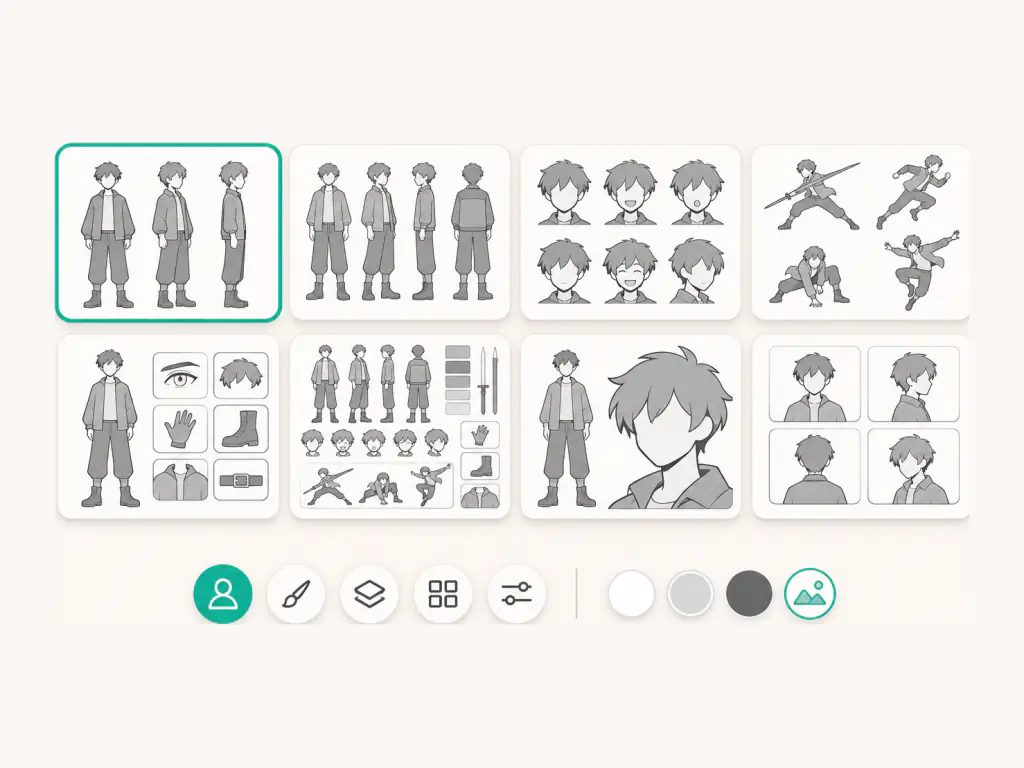
Choose one of the eight layouts or write your own with Custom. Keep the original art style or switch to realistic, anime, 3D cartoon or flat colors. Set the background, toggle view labels, and add notes like a name, a new outfit or a scar to keep.
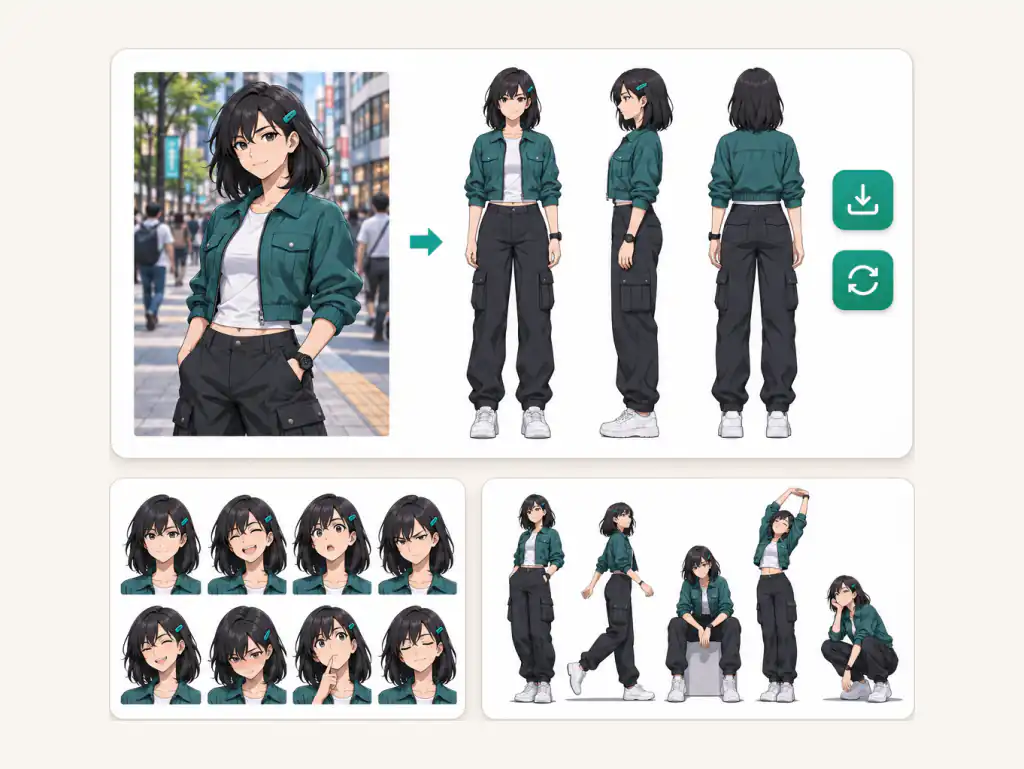
Download one finished sheet with every view as a panel in the same image. Check the face and outfit against your original and rerun if a view drifts. Results are not public by default.
Each card is a ready layout, so there is no blank character design template or character reference sheet template to download. Every AI character sheet follows the same rules: same face, hair, proportions and outfit, views on one height line, no overlap.
Comic artists, game developers, VTubers, animation students and AI video teams use this AI character sheet generator to turn one character into a usable reference.
I make my leads in another tool and bring one panel here. The turnaround keeps the jacket, scar and haircut, so each chapter starts from the same reference.

Noah Cohen
AI Comic Artist
My anime character sheet used to eat a weekend. Now I upload my sketch, pick Expressions, and the six faces still look like my heroine, not a chibi version.

Mei Lin Chen
Webtoon Artist
I drop the 4 View sheet into my modeling software as a backdrop. Front and side sit on one height line, exactly what I need to block out a mesh.

Daniel Cho
Indie Game Developer and 3D Modeler
I only had a half body commission of my OC. The tool finished the legs and boots in my artist's style, and my oc character sheet now has a back view for my rigger.
Aya Hoshino
VTuber and OC Artist
We make the four panel gray board for every lead before video. One face across front, side and back keeps our clips from drifting between episodes.

Omar Haddad
Producer, AI Short Drama Studio
I draw my own side view, generate one from the same design, and compare them to see where my proportions slip.

Yuna Kim
Animation Student
Answers on making a character sheet from your own art, keeping the character the same, sheet types, downloads and usage.
An AI character sheet is one reference image showing a character in several views, expressions or poses, made from your picture or description. It is also called a character reference sheet, a character model sheet or a turnaround; this character ai sheet tool makes all of them.
Yes, starting from an image is the default. Upload a drawing, an AI image, a screenshot or a photo, plus a second view if you have one. It is the quickest way to turn an existing OC into an oc ref sheet or a full AI character sheet.
The tool is built to keep the face, hair, skin tone, proportions, outfit and art style, and tells the model not to swap the person, change age or gender, or go chibi. If a view drifts, generate again or switch models, for example to Nano Banana Pro or GPT Image 2. A clear, full body picture of one character is the most stable start.
Yes. The tool completes the body from the visible design and removes the background and text. The less the picture shows, the more is inferred, so add a second image, such as the back or a face close up, when you can.
A turnaround shows the character rotating: front, side and back. A character model sheet comes from animation production and adds expressions and detail close ups so every artist draws the character the same way. Character sheet is the umbrella term for both.
No. It makes visual references of how a character looks, not stat blocks or ability scores. You can still describe your D&D character's look in text and get a visual sheet for your table.
Yes. Each has its own card: six faces (calm, happy, angry, sad, surprised, thinking) or four full body actions (idle, walk, run and a signature pose).
Simple works best: the AI Video Reference card gives one front full body view and one face close up on light gray, with no text or props. Then use it as the reference image in our Reference to Video tool at /video/reference-to-video.
Yes. Write the new outfit in the notes, for example "swap the cape for a black leather coat", and only the clothes change. For more looks, try our AI Outfit Generator at /image/ai-outfit-generator.
You get one combined AI character sheet, with each view as a panel inside the image. If you need single views, crop them from the download.
You can try it free; each generation uses credits under the site's credit rules. Sheets download without a watermark, and it runs in your browser with nothing to install.
You can download each AI character sheet you generate and use it in your own comics, games, videos and client projects. For the exact rights that apply to generated images, check the Terms of Service at makifyai.com/terms-of-service.
Bring the character you already have, or a few lines about one, and leave with an AI character sheet your comic, game or video can use today.