GPT Image 2 (ChatGPT's latest integrated image generation system) has evolved far beyond the early "random lottery" phase of AI image generation. It's no longer just a "drawing toy"—it's a powerful commercial design system that understands layout instructions, grasps visual hierarchy, and generates crisp text in multiple languages. This enables users with zero design background to quickly produce professional-grade commercial visuals like posters, UI interfaces, and e-commerce graphics through structured prompts.
If you work in content, product, or design, you've likely faced these challenges:
You need an image for:
Social media covers that drive clicks
E-commerce product images that boost conversions
Game visuals that build immersive worlds
Brand posters with premium aesthetics
When you casually type a few words for AI generation, the result is often: viewable, but not usable.
The core issue isn't weak AI capability—it's whether you've mastered the prompt writing techniques that make it "think like a designer."
This guide has one clear goal: Help you master structured prompt methodology and transform GPT Image 2 into a reliable production tool for commercial visuals.
Multi-layer grid-based layout with high information density
Cinematic lighting combined with commercial photography aesthetics
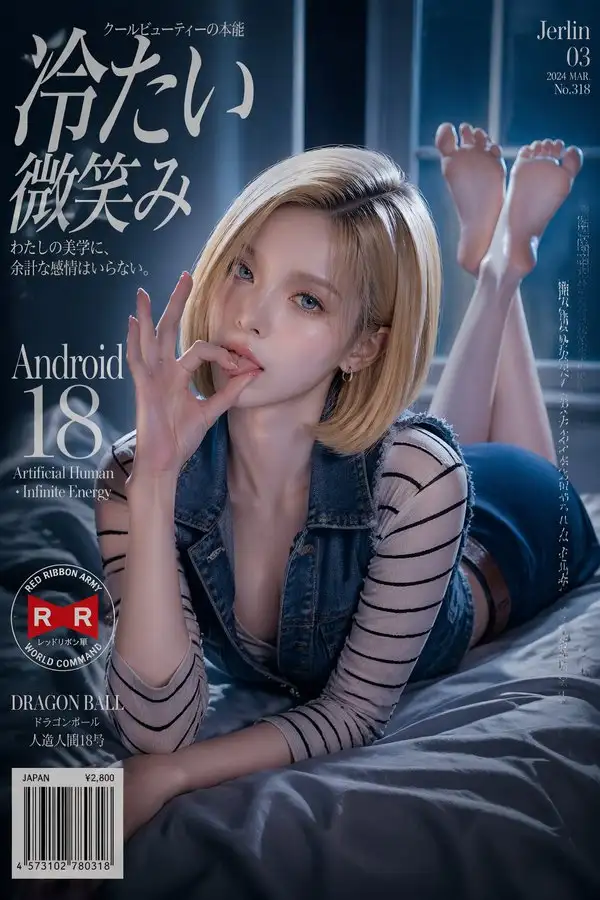
Complete prompt example:
{
  "aspect_ratio": "2:3",
  "composition": {
    "layout": ["vertical poster (2:3)", "close to medium shot", "shallow depth of field", "text as compositional framework", "character partially overlapping text layers"]
  },
  "costume": {
    "description": "Highly accurate recreation of [xxx] original costume",
    "features": ["haute couture-level material translation", "authentic luxury fabrics", "preserving original design", "showcasing allure through costume-body integration", "exposed areas with delicate skin luminosity"]
  },
  "environment": {
    "scene": "Environment matching [xxx] setting",
    "style": ["high-budget film set", "structured yet information-rich", "light fog", "bokeh effect"]
  },
  "face": {
    "base": "Japanese muse facial structure",
    "features": "Layered with [xxx] signature facial characteristics",
    "details": ["soft-focus gaze", "glossy glass-like lips", "translucent skin", "eye highlights"]
  },
  "hair": {
    "description": "[xxx] signature hairstyle (realistic salon-grade presentation, no wigs)",
    "features": ["respecting gravity and weight", "natural flyaways", "structured styling (slight anti-gravity effect)", "backlight enhancing volume"]
  },
  "lighting": {
    "setup": ["cinematic commercial lighting", "cool ambient light (cyan) + warm key light (skin tone)", "hair rim light", "high contrast for print quality"]
  },
  "model": {
    "features": ["full bust", "refined collarbone and neckline", "strong feminine appeal"],
    "skin": "porcelain white skin, realistic texture (subsurface scattering, pores, fine hair, dewy sheen)",
    "proportions": "8.5-head supermodel proportions, S-curve"
  },
  "mood": {
    "atmosphere": ["dreamy", "subtly sensual", "intimate (lover's perspective)", "desire tension"]
  },
  "negative": {
    "avoid": ["text repetition", "text shadows", "glow effects", "outlines"]
  },
  "pose": {
    "posture": ["open and inviting body language", "inviting gaze", "rich natural hand gestures"]
  },
  "style": {
    "features": ["high typographic density (fonts + texture layering)", "commercial photography quality", "pheromone atmosphere (sensual appeal)", "high gloss", "high contrast"],
    "aesthetic": "premium magazine cover style"
  },
  "subject": {
    "description": "Cinematic-grade cosplay poster featuring [xxx] with dynamic pose; preserving original facial features translated into realistic human texture; presenting photo debut atmosphere with intimate Japanese aesthetics"
  },
  "typography": {
    "hierarchy": [
      {"content": "Japanese main title (with tension and suggestive feel)", "font": "high-contrast thin serif, may be italic", "level": 1},
      {"content": "[xxx] romanized name", "font": "medium-weight serif", "level": 2},
      {"content": "English tagline/slogan", "font": "thin serif", "level": 3},
      {"content": "circular stamp/badge (based on setting)", "level": 4},
      {"content": "Jerlin + issue number", "font": "ultra-thin Didot, wide tracking, corner placement", "level": 5},
      {"content": "barcode + price tag", "level": 6}
    ],
    "logic": "derived from [xxx] worldview",
    "mixed_script": "Japanese + hiragana + romanization, descending font weights",
    "system": "grid-based cover design"
  }
}
(Replace [xxx] with your specific character, theme, or name when using)
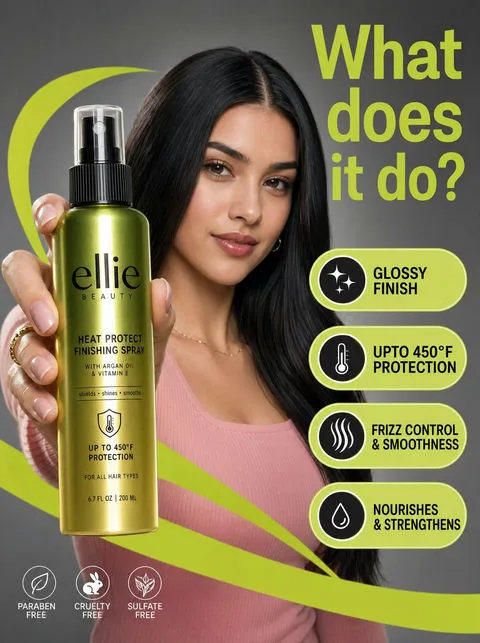
Case 2: E-commerce Advertisement
Structural features:
Product + model
Feature callouts
High-contrast visuals
Ready-to-copy prompt:
A high-resolution commercial marketing photograph featuring a young woman with sleek black hair wearing a pink ribbed top, set against a neutral gray studio environment. She is centered behind a prominently displayed glossy Ellie Beauty spray bottle in the foreground. The image is vibrant, with bright lime-green graphic "arcs" and floating pill-shaped callouts highlighting product features like "Glossy Finish" and "Protection up to 450°F" in bold black sans-serif type. Lighting is professionally diffused, casting soft highlights on the model's face while creating sharp, crisp vertical reflections on the bottle's metallic green-to-gold gradient label. A large lime-green headline in the top right asks: "What can it do?" The overall aesthetic is clean, modern, and high-contrast, with shallow depth of field keeping the product and model's focused expression sharp against the stark contrast.
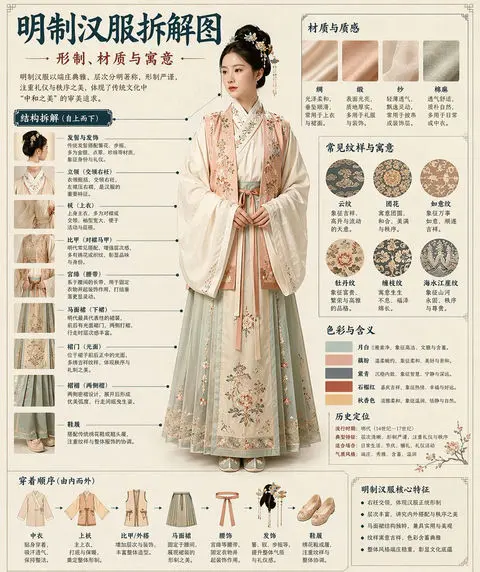
Based on the [THEME], automatically generate a "museum-style illustrated infographic with detailed annotations."

The entire image should combine realistic main visuals, structural breakdowns, text annotations, material descriptions, pattern symbolism, color meanings, and core feature summaries. You need to automatically determine the most appropriate subject, costume system, object structure, era style, key components, material craftsmanship, color scheme, and layout structure based on the [THEME]—no additional user input required.

Overall style should be: national museum exhibition panel, historical costume atlas, cultural heritage thematic infographic—not a regular poster, vintage photoshoot, e-commerce detail page, or anime illustration. Background uses off-white, silk paper white, light tea color, and other paper textures, creating an overall premium, restrained, professional, collectible aesthetic.

Fixed layout:
- Top: Main title + subtitle + introduction
- Left: Structural breakdown zone with annotated key components and detail close-ups
- Upper right: Material / craftsmanship / texture zone showing authentic texture samples with descriptions
- Middle right: Pattern / color / symbolism zone displaying main color palette, pattern samples, and cultural explanations
- Bottom: Assembly sequence / construction flowchart + core feature summary

If the theme suits human display, use a realistic full-body standing figure as the central subject; if better suited for objects or single structures, switch to central subject breakdown diagram, but maintain complete infographic format. All text must be in the target language, clear, neat, and readable—no garbled text, typos, English, or pinyin. Emphasize authentic structure, material differences, cultural explanations, and atlas quality.

Avoid: poster feel, studio feel, e-commerce feel, anime feel, cosplay feel, messy annotations, incorrect structure, blurry text, fake materials, excessive decoration.
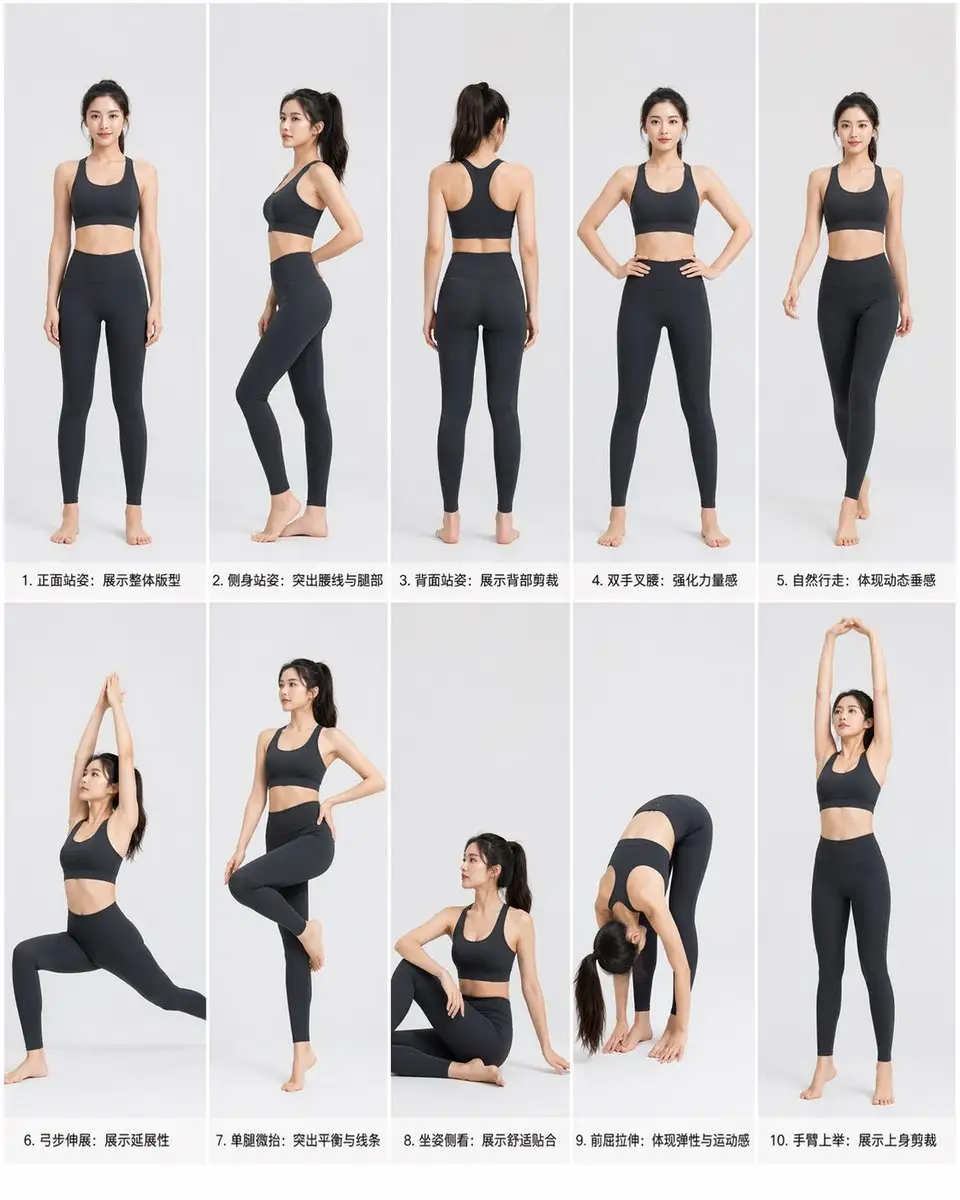
Case 4: Action Grid
Structural features:
Grid layout
Information segmentation
Unified multi-image
Ready-to-copy prompt:
Professional athletic wear product photography pose guide, East Asian female model, dark gray/black yoga set (sports bra + high-waist leggings), clean studio background, soft natural lighting. Grid layout: 2 rows × 5 columns, each pose with text description.
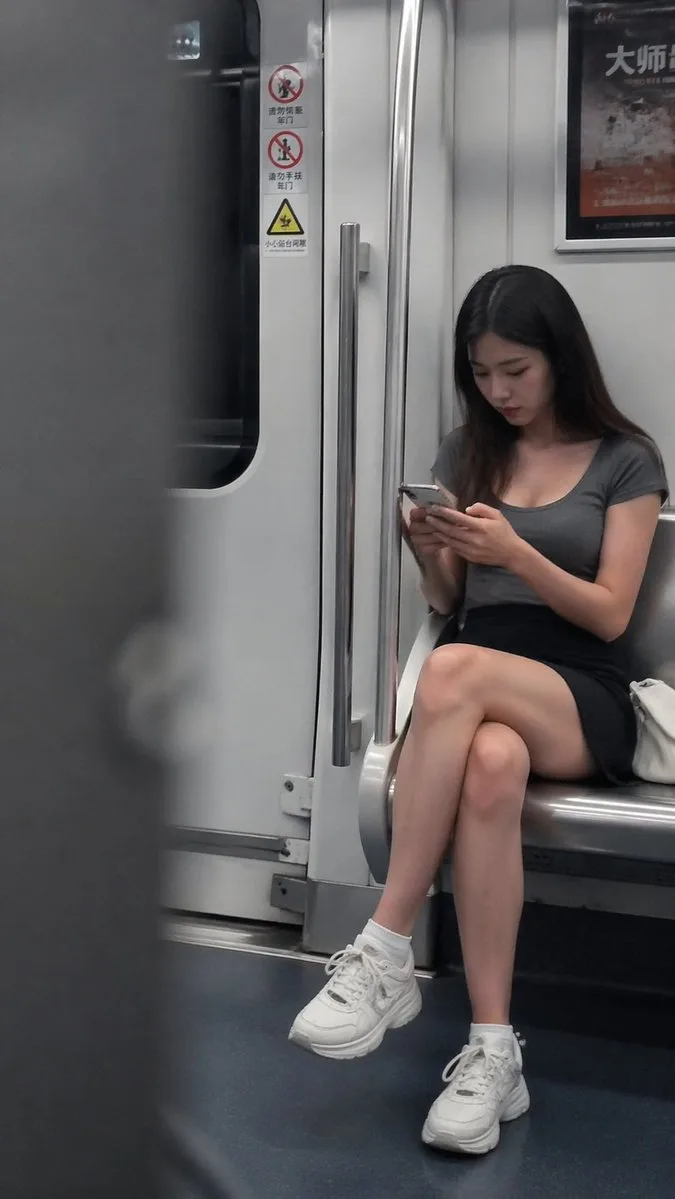
Inside a subway car, a young woman sits near the door, head down focused on her phone, displaying a natural state without looking at the camera. She wears a gray fitted top, black skirt, and white sneakers, with long hair falling naturally. The figure is positioned in the right third of the frame, with blurred foreground obstruction on the left creating a candid perspective. Door and handrails form clear vertical lines guiding the eye. Overall cool-toned subway lighting, soft overhead light without harsh shadows, shallow depth of field keeping the subject sharp while slightly blurring the background. The image has authentic camera grain and slightly imperfect composition, showcasing a genuine captured moment rather than a staged shot.
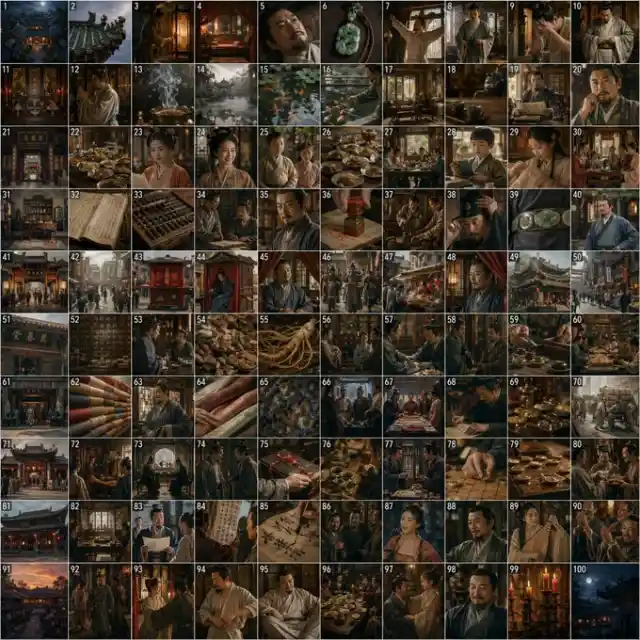
A 100-panel storyboard for a historical merchant game, 10×10 grid layout, 1:1 square aspect ratio.

【Grid Layout】
100 equal-sized square panels, strict 10 rows × 10 columns arrangement, uniform spacing between panels, professional game storyboard style.

【Story Content】
Depicting a complete day in the life of a Ming Dynasty wealthy merchant from dawn to midnight:
Panels 1-10: Dawn awakening, mansion bedroom, washing and dressing
Panels 11-20: Ancestral hall worship, courtyard fish feeding, tea and reading
Panels 21-30: Family breakfast, gathering with wife and children, harmonious atmosphere
Panels 31-40: Study accounting, steward reporting, preparing to go out
Panels 41-50: Sedan chair travel, bustling streets, heading to shops
Panels 51-60: Pharmacy business, inspecting herbs, receiving customers
Panels 61-70: Silk warehouse, inspecting goods and negotiating prices, signing contracts
Panels 71-80: Visiting officials, gift-giving and chess, merchant-official collusion
Panels 81-90: Teahouse gathering, listening to music and viewing paintings, literati socializing
Panels 91-100: Sunset return home, family banquet, lighting lamps and retiring

【Visual Style】
Cinematic realism, highly accurate Ming Dynasty historical restoration, exquisite costume and prop details, dramatic lighting, alternating wide shots, medium shots, and close-up detail shots.

【Color Palette】
Dawn: cool blue tones, pale gold
Daytime: warm yellow, emerald green, vermillion red
Evening: orange-red, purple clouds
Night: deep blue, lantern red, moonlight silver

【Technical Requirements】
High resolution, each panel is game CG-level quality, professional diverse composition, accurate research on Ming Dynasty architecture, costumes, and props.
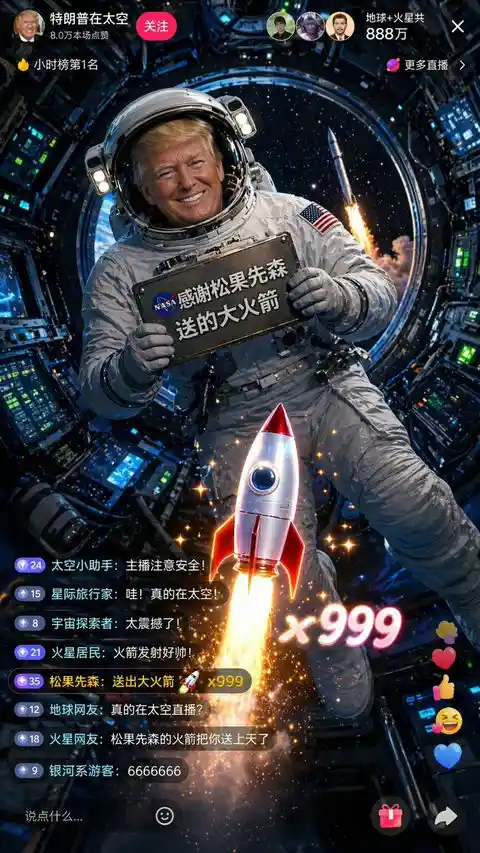
A 9:16 vertical screenshot of a livestream, space broadcast style. A public figure in a NASA-style white spacesuit, helmet visor half-open revealing signature golden hair and smile. Floating inside the International Space Station conducting a livestream in microgravity, body slightly suspended. Holding a metal plaque attached to the spacesuit reading "Thanks to [username] for the rocket gift" in NASA-style print. Behind, through a circular porthole, blue Earth and deep space are visible. The livestream interface shows viewer count "Earth + Mars total 8.88 million." Comment section shows messages like "Really livestreaming from space?" "[username]'s rocket sent you to space." Screen center rocket gift effect echoes a real rocket launching outside the window, creating virtual-real integration. Interior has various precision instruments and control panels with flashing green and blue indicator lights. Color palette dominated by deep blue, white, and gold, with starlight dotting the porthole view, 8K ultra-high definition, "Gravity" film-level visual effects.
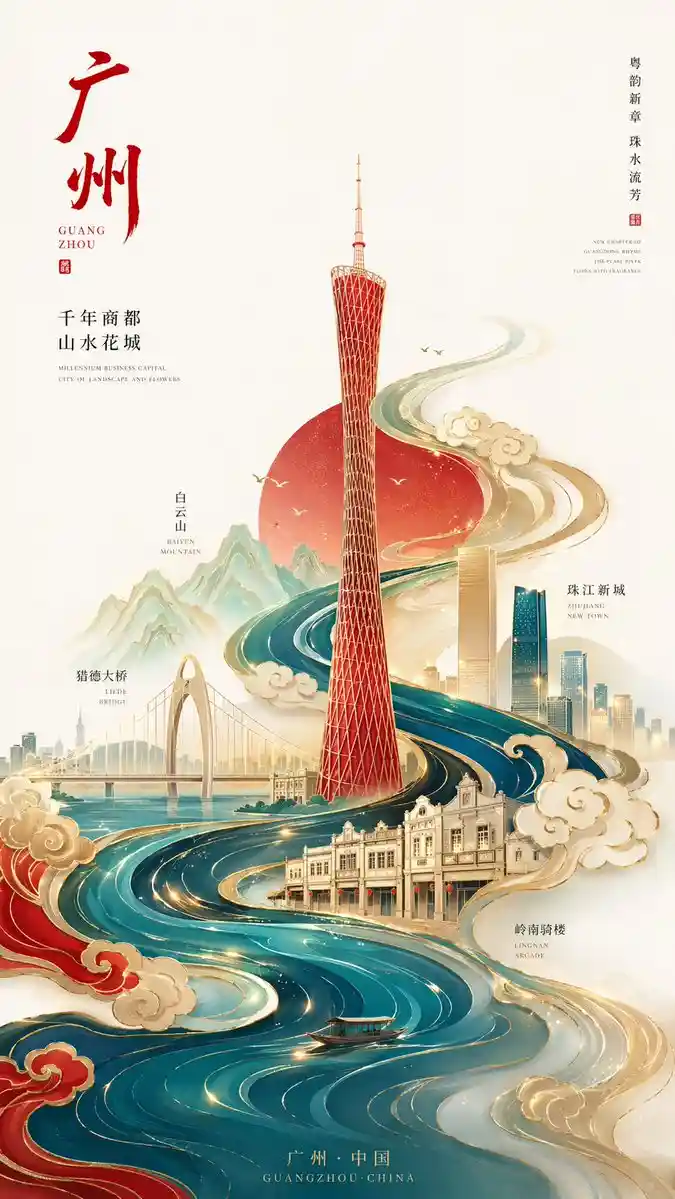
New Chinese minimalist style premium city poster, 9:16 vertical composition, centered on Guangzhou as core theme, image center features abstract geometric Guangzhou Tower, simple yet recognizable design,

Overall S-curve flowing composition extending upward from bottom, Pearl River system designed as flowing water ripples merged with traditional auspicious cloud patterns, encircling entire image forming visual flow,

Guangzhou landmark buildings dotted throughout using "white space + line drawing + partial color blocks": Pearl River New Town twin towers, Liede Bridge, Baiyun Mountain silhouette, Lingnan arcade buildings,
Traditional and modern architecture naturally integrated, progressive layers, clear depth and focus,

Style control: minimalist + premium + Eastern aesthetics, not cluttered or overly realistic,

Color scheme (key):
High saturation but restrained, Chinese red, cyan blue, gilded gold as main colors,
Supplemented with minimal warm gold highlights, creating strong visual impact without vulgarity,

Background: large areas of pure white space or light rice paper texture, enhancing breathing room and premium feel,

Details: clouds and water patterns with subtle embossed/gilded texture,
Partial addition of light particles or flowing light, enhancing modernity,

Lighting: soft gradient light + partial highlights, emphasizing grand atmospheric ambiance,

Overall style: premium guochao illustration / brand poster-level quality / 8K / ultra-clear details
Case 9: Educational Infographic
Structural features:
Data structure
Visual annotations
Ready-to-copy prompt:
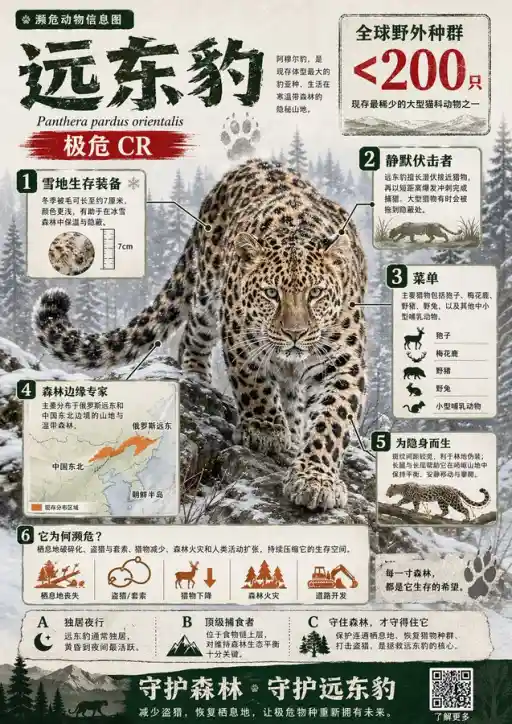
Create a visually rich infographic about an endangered animal. First research one online, studying its habitat, diet, and unique features. Present information through annotated visual elements and structured callouts rather than generic sections. Style should be like bold graphic illustration: a detailed, photorealistic central animal as focal point, supported by diagrams, annotations, and concise text elements. Use clean background and mix realistic rendering with strong graphic elements (shapes, icons, color blocks) in layered composition. Make it dense, tactile, and professionally crafted.
Case 10: Surreal Advertisement
Structural features:
Single core visual
Strong contrast
Minimal background
Ready-to-copy prompt:
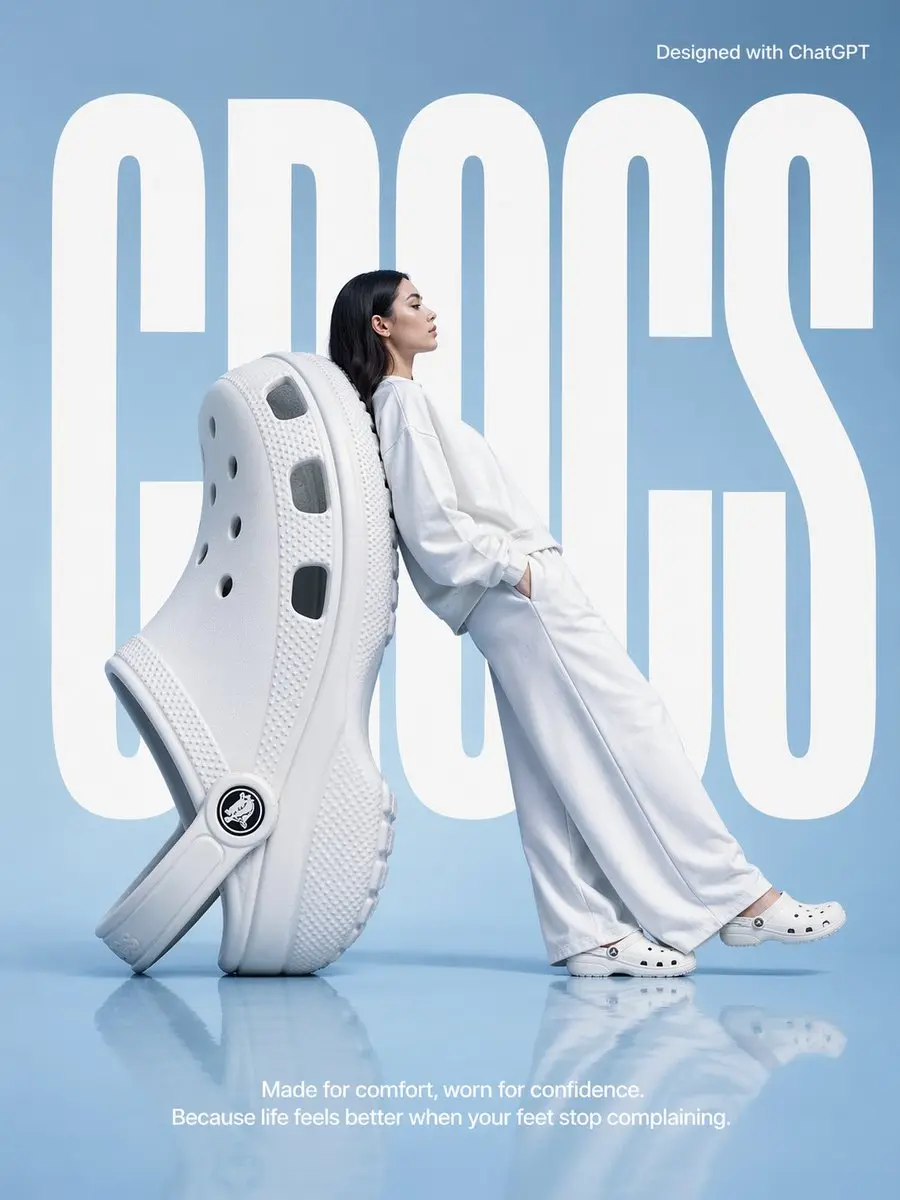
A high-fashion surrealist advertisement poster for foam clogs. Scene set in a minimalist, monochrome pale blue studio with semi-reflective floor.
Central focus is an oversized white foam clog positioned at a diagonal angle resting on its heel as a backrest. A fashion model with dark long hair, wearing clean all-white matching hoodie and wide-leg pants, reclines in a relaxed tilted posture with her entire back against the giant shoe. She faces right in side profile with a serene expression looking forward, wearing standard-sized white foam clogs.
In the background, the word "CROCS" is written in huge, bold, white condensed sans-serif font, partially obscured by the giant shoe and model to create depth. In the upper right corner, "Designed with ChatGPT"
At bottom center, a white sans-serif tagline reads: "Made for comfort, worn for confidence. Because life feels better when your feet stop complaining." Lighting is soft, cool, and even, casting gentle shadows and soft reflections of subjects on the smooth blue floor. Overall aesthetic is clean, modern, and high-concept.
Set aspect ratio to 3:4
To evolve from "user" to "professional," do three things:
1. Step-by-Step Generation
Don't complete in one go:
Structure first
Style next
Details last
2. Lock Visual Style
Add to prompts:
same style
consistent
3. Build Templates
Transform quality prompts into:
Reusable templates
Expandable structures
VII. FAQ: Solving 90% of Your Generation Questions
7.1 GPT Image 2 vs Midjourney—Which Should I Choose?
Simply put: Midjourney excels at "art," GPT Image 2 excels at "commerce."
Midjourney: Higher aesthetic ceiling, unbeatable lighting and artistic feel, but more uncontrollable factors requiring repeated attempts, and currently weaker text/layout support.
GPT Image 2: An obedient "execution designer." When generating posters with specified copy or information-aligned e-commerce UI graphics, its layout capability and instruction compliance far surpass the former.
7.2 Why Are My Results Still Unstable Despite Following Prompts?
This is the most common beginner issue. Usually two reasons:
Using "descriptive" rather than "structured" instructions: AI needs to know "layout arrangement" and "visual hierarchy," not just adjectives.
Information overload: Don't try cramming 10 different subjects into one prompt. Correct approach: provide clear primary-secondary relationships, adjust locally through follow-up dialogue.
7.3 Does GPT Image 2 Support Direct Generation of Non-English Layouts?
Perfect support. Compared to previous versions, understanding of multiple languages has qualitatively improved.
It now not only understands multilingual prompts but can perfectly render and integrate provided text characters into images. Recommend specifying font style in prompts (e.g., use bold, thin serif, or large headline sizes). This is why many users search for "gpt image 2 localized version."
7.4 How to Ensure Consistent Style Across Multiple Generations?
Commercial generation's biggest fear is different styles each day. You can:
After generating the first image, request its "Seed number".
In subsequent prompts, add at the beginning: Maintain consistent style, reference previous Seed number: xxxx, modify [specific element] based on this.
Solidify style-related modifiers into templates, including them in every generation.
7.5 Can Generated Images Be Used Commercially? Copyright Ownership?
According to current policy, images you generate through ChatGPT / GPT Image 2 can be used directly for commercial purposes (including printing, merchandise, e-commerce materials, etc.). Copyright belongs to you for free publication and use. However, if requiring "exact imitation of a specific artist's original work" and including famous copyrighted characters, infringement risks may still exist—avoid these in commercial use.
7.6 Can I Modify Parts of a Single Image?
Yes, you can directly ask it to modify. In supported interfaces, you can use the inpainting function (or simply tell it in natural language): "Please keep all layout of this image, only change 'SALE' in the bottom right to 'PROMO'". It will perform local redrawing (Inpainting) without changing the original composition.
7.7 What Real Commercial Scenarios Can It Be Used For?
Can be used for:
Social Media: Viral covers, blog featured images, educational graphics